
China DOS Union
-- Unite DOS · Advance DOS · Grow DOS --Union site: www.cn-dos.net Forum site: www.cn-dos.net/forum
|
China DOS Union-- Unite DOS · Advance DOS · Grow DOS --Union site: www.cn-dos.net Forum site: www.cn-dos.net/forum |
| Guest | Log in | Register | Members | Search | China DOS Union |
|
中国DOS联盟论坛 The time now is 2026-10-24 07:42 |
47,815 topics / 349,928 posts / today 1 new / 48,287 members |
| 意见反馈 & 网友交流 » Make good use of the forum's built-in blog system! |
| Printable Version 2,504 / 0 |
| Floor1 jinzihao | Posted 2010-08-07 14:21 |
| 初级用户 Posts 62 Credits 111 From http://ms-dos.cz.cc | |
|
I previously saw that a certain moderator wrote a blog in the forum, and now I'll share how to use this blog system that has a fresh interface and is integrated into the forum.
1. Log out, use the "Log out" in the toolbar at the top right of the forum  2. As a guest, find your latest post in the forum, which can be a reply or a new post, and click the "Blog" button below  3. Enter the blog, and see that the URL at this time is like this (the last few digits vary from person to person): http://www.cn-dos.net/forum/blog.php?uid=124905 4. Bookmark the URL, then log in to the forum again, open this blog page, and a compact blog system will appear 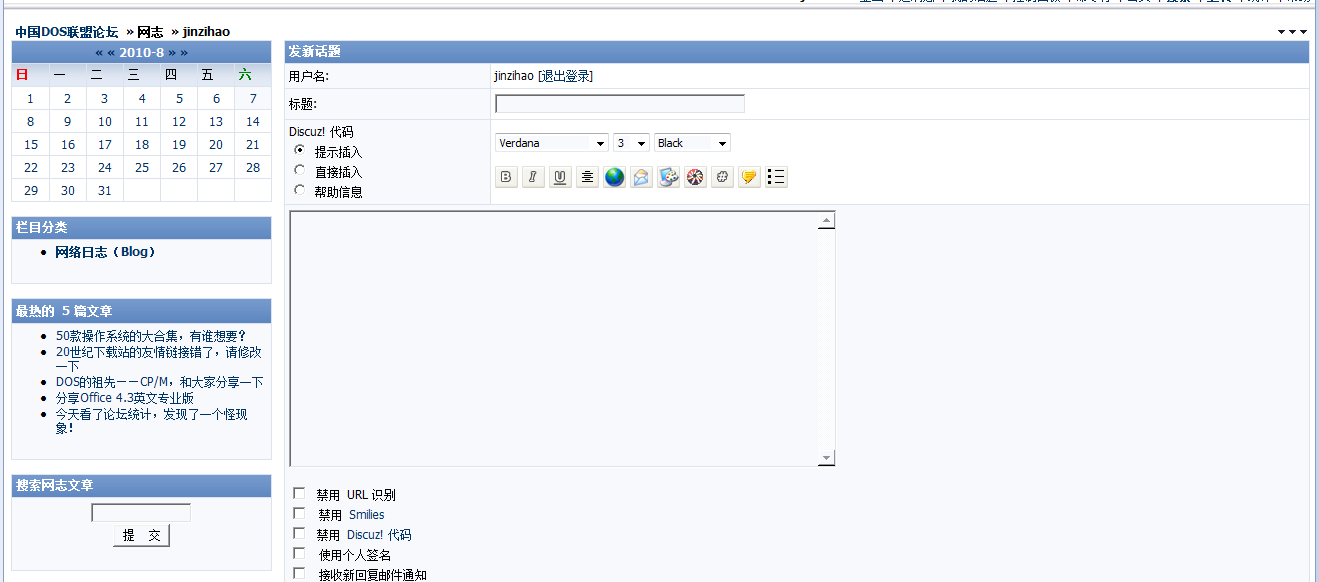 Using this built-in blog system of the forum, you can store some DOS documents here and make your personal DOS Portfolio. It can also be used as a blog. |
|
|
[ Contact the Union admin team -
中国DOS联盟 -
Standard version ] Sponsored by ifanr Inc | © 2001–2023 |