
China DOS Union
-- Unite DOS · Advance DOS · Grow DOS --Union site: www.cn-dos.net Forum site: www.cn-dos.net/forum
|
China DOS Union-- Unite DOS · Advance DOS · Grow DOS --Union site: www.cn-dos.net Forum site: www.cn-dos.net/forum |
| Guest | Log in | Register | Members | Search | China DOS Union |
|
中国DOS联盟论坛 The time now is 2026-10-23 13:48 |
47,815 topics / 349,927 posts / today 0 new / 48,287 members |
| DOS汉化世界 & 中文系统 (中文化室) » GHOST One-key Network Clone Client and DOS Server |
| Printable Version 3,108 / 5 |
| Floor1 xiaoyunwang | Posted 2008-10-05 21:01 |
| 高级用户 Posts 374 Credits 940 From 湖南张家界 | |
|
GHOST One-key Network Clone Client and DOS Server
This is a multi-purpose version image. When it's on a CD, it's a CD version; when written to a USB flash drive, it's a USB flash drive version; when set as a hard disk boot item, it's a hard disk version. When the system starts, it will automatically judge the drive letter where it starts. Therefore, it can be used in other boot media with the boot drive letter from A: to Y: (up to Z: drive is allocated to the virtual memory drive), and there's no need to worry about what the boot drive letter is. Since accessing the network using the NetBEUI protocol must be in the protected mode of Emm386, this image uniformly only adopts the emm386 protected mode. For GHOST network cloning, please use the TCP/IP protocol (only this protocol is supported). The core part msnet of this image is a slightly modified batch script from free software developer Bart Lagerweij, with some Chinese display strategies of the non-Chinese character system vtmagic added. Please forgive if there is any offense, because that is indeed very good. Welcome to support free software (http://www.nu2.nu/bootdisk/). It also supports two standard network cards: packet network cards (with suffix.exe or.com that can be directly loaded from the command line; these are rarely available now) and Ndis network cards (with suffix.dos that need to be loaded in config.sys; if loaded from the command line, it also needs software to convert to the standard type. Currently, most DOS network cards are.dos, so it is recommended). It can automatically analyze the type of the network card and automatically load the network card driver (here, more than 90 types of network cards are included). When doing network cloning, please do not load the Chinese character system to avoid unnecessary troubles caused by the Chinese character system and loading the.dos network card. This image has adopted the Chinese character display function of the text screen by master vtmagic, so it can display Chinese characters and Chinese dialog boxes in the CCDOS Chinese character system or in an environment without a Chinese character system. There are also several additional software that are very good, such as Ezcopy, a network copying software by expert Detian Xianshan, netcopy network mirroring software, xcom microcomputer remote communication program, etc. There is a gho compressed package in \lib of the boot drive letter for manual GHOST partition formatting of the hard disk. Note: This network cloning version does not have the usual one-key backup and restore and other options. For non-network cloning backup and restoration, please use the "Terminator" one-key GHOST backup and restore and GHOST hard disk partition formatting floppy image. Forgot: That ccdos.cab is in the \lib directory of the boot drive letter (not necessarily A: drive, depending on different boot media). Uncab ccdos to extract it. If you want to activate the lpt button operation printing port under the gray Peer->peer button of GHOST, run uncab lpt to extract the \lpt.cab driver under the boot drive letter, and then the gray GHOST button will be automatically activated. 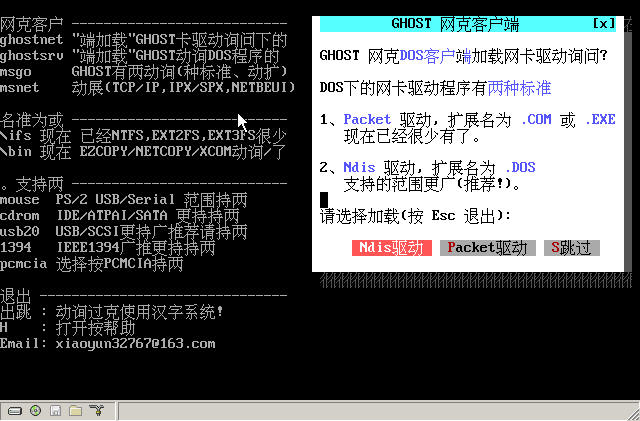 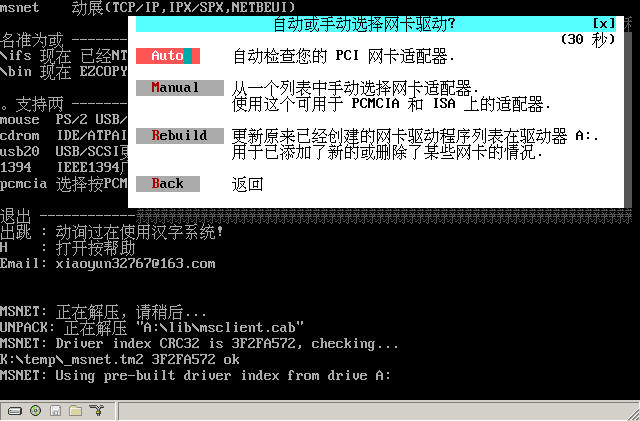 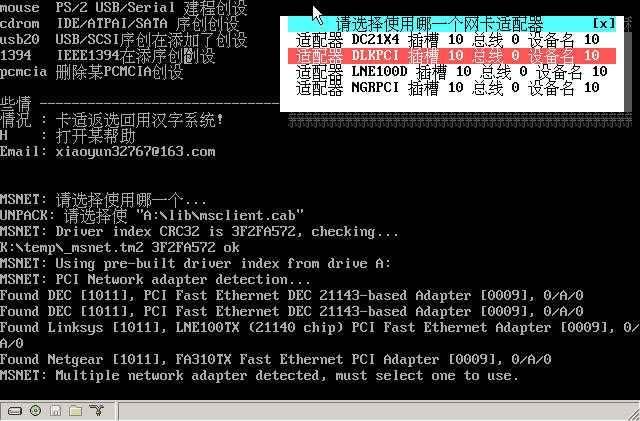 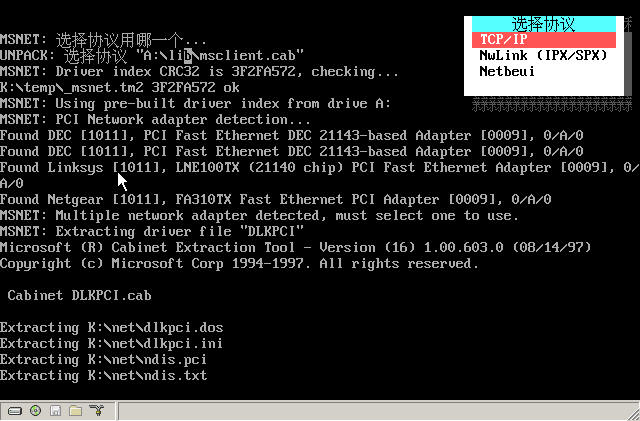 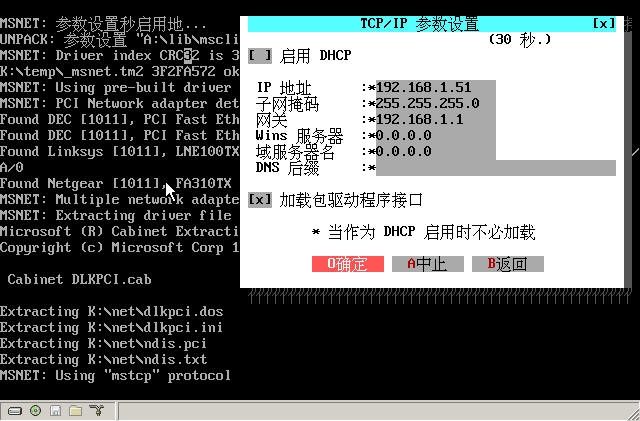 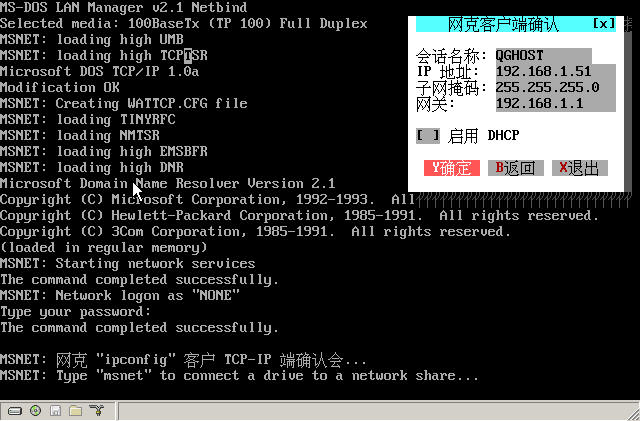 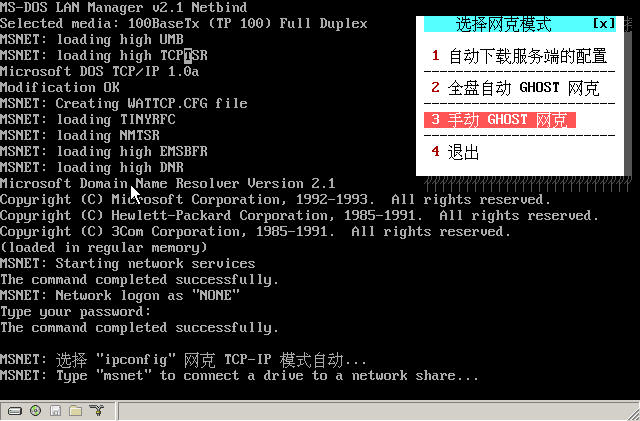 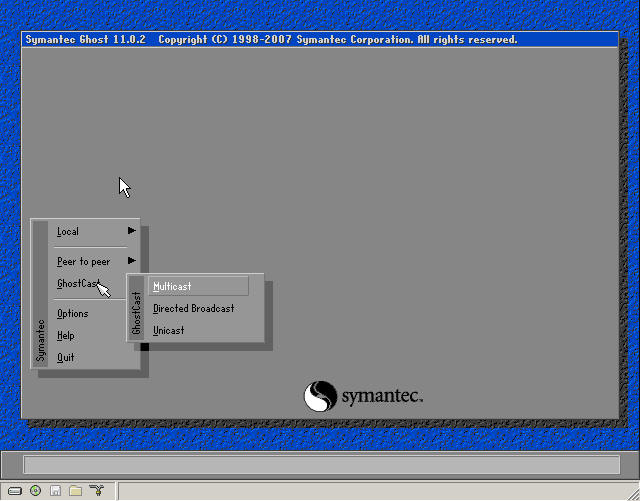 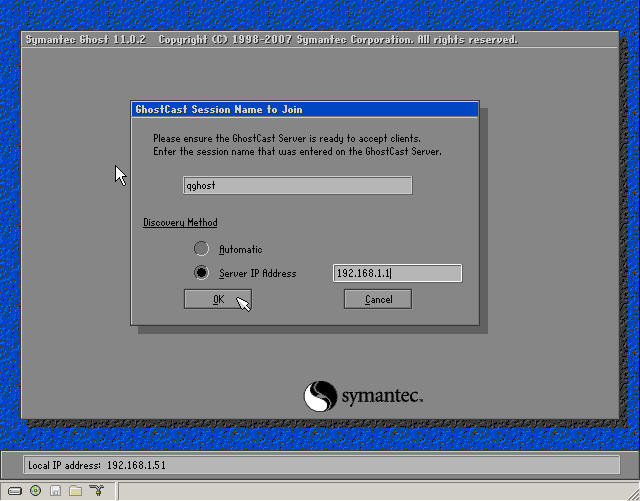 The image is a bit large, 5.6MB. Let's think about ways to upload it. [ Last edited by xiaoyunwang on 2008-10-5 at 21:34 ] |
|
| Floor2 wang6610 | Posted 2008-10-05 21:40 |
| 银牌会员 Posts 488 Credits 1,246 | |
|
Just post this one too.
|
|
| Floor3 xiaoyunwang | Posted 2008-10-05 23:01 |
| 高级用户 Posts 374 Credits 940 From 湖南张家界 | |
Originally posted by wang6610 at 2008-10-5 09:40 PM: The email has been sent successfully! Thank you for your enthusiastic help! [ Last edited by xiaoyunwang on 2008-10-6 at 20:42 ] |
|
| Floor4 wang6610 | Posted 2008-10-06 17:01 |
| 银牌会员 Posts 488 Credits 1,246 | |
|
Download here:
http://www.rayfile.com/files/eafab8b3-9337-11dd-b37b-0019d11a795f/ Password: wangdoss xiaoyunwang please block my email address upstairs. [ Last edited by wang6610 on 2008-10-6 at 20:32 ] |
|
| Floor5 xugaohui | Posted 2008-10-10 00:51 |
| 高级用户 Posts 293 Credits 774 From 湖北仙桃 | |
|
Not bad, there are some small errors.
NetBEUI runs in real mode under DOS. The real mode here has nothing to do with emm386.exe. emm386.exe is an UMB memory management software. Loading emm386.exe under DOS is protected mode. umbpci.sys is real mode, and Windows 98 is protected mode. Test:  That one can select the NetBEUI protocol. When emm386.exe is loaded or not, it can normally drive the network card and use the packet driver. NetBEUI is real mode, but it must run under the protected mode of emm386.exe. This is unlikely. Looking at those Chinese interfaces under DOS, it is too similar to the mousedos software. If you load emm386.exe, some new motherboards may crash when loading. When running a Chinese character system after loading emm386.exe, it is best to test on motherboards with A690 A780 integrated graphics cards... If it is referring to http://www.nu2.nu/bootdisk/, this is insufficient when there are two identical network cards on the motherboard. [ Last edited by xugaohui on 2008-10-10 at 01:15 ] |
|
| Floor6 xiaoyunwang | Posted 2008-10-11 18:30 |
| 高级用户 Posts 374 Credits 940 From 湖南张家界 | |
|
Misunderstanding: Since Netbeui can start successfully without Emm386.exe, in this case, when using it, it is still necessary to comment out or delete the line containing Emm386.exe in config.sys to improve compatibility.
|
|
|
[ Contact the Union admin team -
中国DOS联盟 -
Standard version ] Sponsored by ifanr Inc | © 2001–2023 |