China DOS Union

-- Unite DOS · Advance DOS · Grow DOS --

Union site: www.cn-dos.net Forum site: www.cn-dos.net/forum
DOS stands for freedom, openness and progress. Let us work hard, learn from the openness and GNU spirit of FreeDOS and Linux, and together build and grow a free GNU GPL world!

中国DOS联盟论坛
The time now is 2026-06-24 08:23
中国DOS联盟论坛 » 其它操作系统综合讨论区 » Establishment of a newly discovered abnormal directory View 2,075 Replies 10
Original Poster Posted 2007-11-11 13:51 ·  中国 广东 广州 电信
新手上路
Credits 18
Posts 8
Joined 2007-01-07 05:42
19-year member
UID 75689
Gender Male
Status Offline
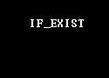
How to create such special filename characters (like a small triangle)


[ Last edited by lylingyong on 2007-11-14 at 03:31 PM ]
Floor 2 Posted 2007-11-11 22:51 ·  中国 山东 济南 教育网
初级用户
Credits 38
Posts 15
Joined 2007-10-13 12:20
18-year member
UID 99609
Gender Male
Status Offline
In edit, you can output like this: ctrl+backspace key,
In cmd, I don't know.
Floor 3 Posted 2007-11-12 09:24 ·  中国 广东 广州 电信
新手上路
Credits 18
Posts 8
Joined 2007-01-07 05:42
19-year member
UID 75689
Gender Male
Status Offline
Thanks to gqtc, is there any expert who knows how to type this symbol in CMD or pure DOS ;).
Floor 4 Posted 2007-11-12 11:15 ·  中国 湖北 武汉 电信
版主
★★★★★
Credits 11,386
Posts 4,938
Joined 2006-07-23 17:10
19-year member
UID 59080
Status Offline
This character has an ASCII value of 127, which is the (del) character. It cannot be directly typed in cmd. You can hold down ALT in Notepad, then press 127 on the numeric keypad, and then release the ALT key.
Floor 5 Posted 2007-11-14 13:13 ·  中国 广东 广州 电信
新手上路
Credits 18
Posts 8
Joined 2007-01-07 05:42
19-year member
UID 75689
Gender Male
Status Offline
Thanks, it turned out to be the (del) character. No wonder I couldn't access the folder in CMD.
Floor 6 Posted 2007-11-14 15:17 ·  中国 广东 广州 电信
新手上路
Credits 18
Posts 8
Joined 2007-01-07 05:42
19-year member
UID 75689
Gender Male
Status Offline
Now summarize the establishment of this abnormal directory:
From floors 2 and 4, it is known that this ASCII is 127, which is the (del) character. In CMD, it is impossible to directly use RD to create such a directory. Then, we can create a new batch file with the content:

md \..\

The empty space after \ is obtained by pressing alt+127 on the keyboard

In this way, the directory is successfully created. The dots between \\ and the ASCII itself are added, such as \....\, \......\, etc.

This kind of directory cannot be accessed in CMD
It can only be accessed through running
Floor 7 Posted 2007-12-02 00:17 ·  中国 上海 杨浦区 电信
高级用户
★★★
Credits 916
Posts 377
Joined 2004-03-08 00:00
22-year member
UID 19523
Gender Male
Status Offline
It's really strange stuff. I tested on a ramdisk virtual NTFS partition. Just after creating it, I couldn't enter. Then I was lazy and dragged a file with the Ctrl key, and it actually went into the directory. Then an unticked directory appeared. Then I could actually delete it. Delete the directory with the dot, EEE, the unticked one then became the one with the dot and the files inside were really deleted. Strange thing.
windowsserver2003 se
Floor 8 Posted 2008-02-03 22:38 ·  中国 广东 电信
银牌会员
★★★★
SuperCleaner
Credits 2,362
Posts 1,133
Joined 2008-02-02 21:36
18-year member
UID 110072
Gender Male
Status Offline
Create a folder named "a." and "a". Then drag "a" into "a.", and it shows "Cannot XXX.... The file name extension is too long". Open "a." or "a" and see that inside there are "a" and "a" and so on in an infinite loop. The path is "a.\a\a\a\a\.....". Moreover, if you drag a file into it, opening "a." or "a" under Windows will show the same file. It's like mutual mapping. But if you check with cmd, "cd AE216~1 &dir" can find that the files dragged in under Windows don't actually exist, and the files created in that folder using commands can't be seen under Windows (when there are "a." and "a").
Floor 9 Posted 2008-03-17 13:32 ·  中国 湖南 益阳 电信
新手上路
Credits 14
Posts 7
Joined 2008-03-17 12:01
18-year member
UID 113184
Gender Male
Status Offline
Learning
Floor 10 Posted 2008-03-22 10:26 ·  中国 广东 揭阳 电信
银牌会员
★★★★
SuperCleaner
Credits 2,362
Posts 1,133
Joined 2008-02-02 21:36
18-year member
UID 110072
Gender Male
Status Offline
Everyone, try to create a folder named after a drive letter
md "c: \\"
When deleting with the mouse --- unable to read the original disk or file
Floor 11 Posted 2008-11-07 19:46 ·  中国 山东 日照 联通
初级用户
Credits 25
Posts 17
Joined 2008-10-06 20:32
17-year member
UID 127585
Gender Male
Status Offline
Got it
set pp="122."
md %pp%\
pause
Copy the above code
Of course, it's easy to rename without adding dots
(PS: Actually, it can be established directly under Windows, rename with ctrl+backspace or alt+127)


[ Last edited by 379184514 on 2008-11-7 at 19:49 ]
Forum Jump: