

Hello everyone, I've been following DOS New Era for a long time and have been lurking. Today, when I used the Super DOS 7.10 boot disk, I found that it couldn't support my USB flash drive. I'll write down the symptoms for everyone and ask for your guidance.
1. I plugged the USB flash drive into the machine and booted with this DOS 710 disk.
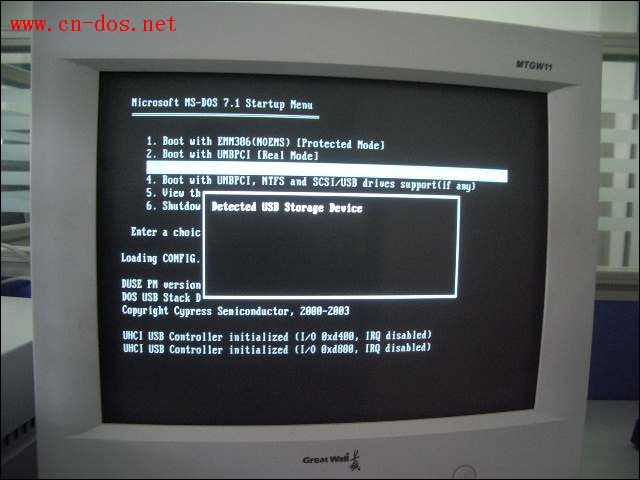
I selected the 4th option that supports USB and then pressed Enter. Soon, a prompt "Detected USB Storage Device" appeared. After waiting for a while, the following screen appeared, saying something like "UHCI USB Controller initialized ( I/O 0xd400, IRQ disabled), UHCI USB Controller initialized ( I/O 0xd800, IRQ disabled)". Then the screen just stayed here and didn't move anymore.
2. I didn't plug the USB flash drive into the computer first. Instead, I used this DOS 710 disk to boot the computer, selected the 4th option that supports USB. When the system files were all loaded and I could enter the command prompt operation mode, I then plugged the USB flash drive into the computer.
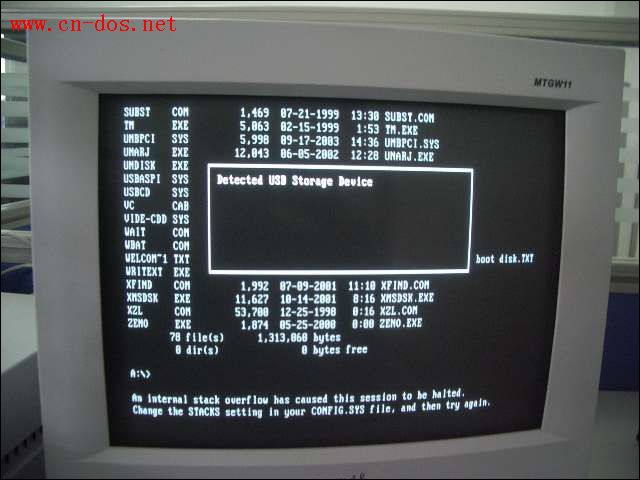
Soon, the prompt "Detected USB Storage Device" also appeared. Then after waiting for a long time, only two lines of text appeared on the screen: "An Internal stack overflow has caused this session to be halted. Change the STACKS setting in your CONFIG.SYS file, and then try again." The computer stopped here, didn't read the disk, and couldn't be restarted with CTR+ALT+DEL, only a cold boot was possible.
My USB flash drive can be smoothly recognized on other machines with XP and has no problems.请问 how should I solve the problem of not being able to use the USB flash drive in DOS. Thanks a lot!
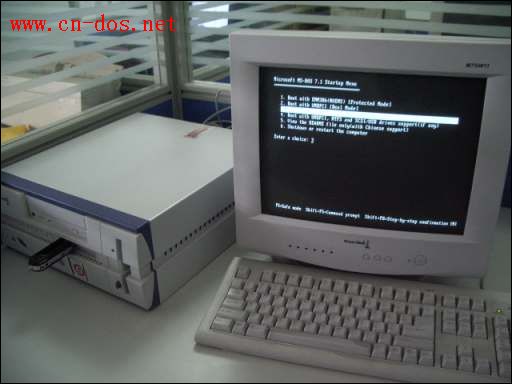
1. I plugged the USB flash drive into the machine and booted with this DOS 710 disk.
I selected the 4th option that supports USB and then pressed Enter. Soon, a prompt "Detected USB Storage Device" appeared. After waiting for a while, the following screen appeared, saying something like "UHCI USB Controller initialized ( I/O 0xd400, IRQ disabled), UHCI USB Controller initialized ( I/O 0xd800, IRQ disabled)". Then the screen just stayed here and didn't move anymore.
2. I didn't plug the USB flash drive into the computer first. Instead, I used this DOS 710 disk to boot the computer, selected the 4th option that supports USB. When the system files were all loaded and I could enter the command prompt operation mode, I then plugged the USB flash drive into the computer.
Soon, the prompt "Detected USB Storage Device" also appeared. Then after waiting for a long time, only two lines of text appeared on the screen: "An Internal stack overflow has caused this session to be halted. Change the STACKS setting in your CONFIG.SYS file, and then try again." The computer stopped here, didn't read the disk, and couldn't be restarted with CTR+ALT+DEL, only a cold boot was possible.
My USB flash drive can be smoothly recognized on other machines with XP and has no problems.请问 how should I solve the problem of not being able to use the USB flash drive in DOS. Thanks a lot!


