China DOS Union

-- Unite DOS · Advance DOS · Grow DOS --

Union site: www.cn-dos.net Forum site: www.cn-dos.net/forum
DOS stands for freedom, openness and progress. Let us work hard, learn from the openness and GNU spirit of FreeDOS and Linux, and together build and grow a free GNU GPL world!

中国DOS联盟论坛
The time now is 2026-06-22 14:50
中国DOS联盟论坛 » 网络日志(Blog) » 【Billunique】Personal Blog - Drops Make an Ocean View 40,500 Replies 59
Floor 46 Posted 2007-06-14 11:44 ·  中国 北京 雅虎中国
中级用户
★★
菜鸟总动员
Credits 259
Posts 112
Joined 2006-08-28 15:53
19-year member
UID 61454
Status Offline
I happened to come across the Vbs tutorial posted by the moderator bjsh when I was browsing around today. It's really quite good: http://www.cn-dos.net/forum/viewthread.php?tid=30588. I might occasionally excerpt some things from it in the future.
★①②③④⑤⑥⑦⑧⑨⑩㈠㈡㈢㈣㈤㈥㈦㈧㈨㈩ⅠⅡⅢⅣⅤⅥⅦⅧⅨⅩⅪⅫ【●】→←↑↓▲
Floor 47 Posted 2007-06-14 12:05 ·  中国 北京 雅虎中国
中级用户
★★
菜鸟总动员
Credits 259
Posts 112
Joined 2006-08-28 15:53
19-year member
UID 61454
Status Offline
1. Because the third parameter of Msgbox is the title, you can save some effort like the following:
MsgBox "1",,"2"


2. Whenever you assign an object reference to a variable, you need to use the Set keyword. Then what is an object reference? Any variable other than strings, numeric values, and Boolean values is an object reference.

3. Run stops when encountering spaces during runtime resolution. The solution is to use double quotes. For example: wscript.shell.run"""D:\Study\VBS\windows 脚本编程核心技术精解"""。
The run function has three parameters. The first parameter is the path of the program you want to execute. The second parameter is the form of the window. 0 is running in the background; 1 means running normally; 2 means activating the program and displaying it as minimized; 3 means activating the program and displaying it as maximized... The third parameter indicates whether this script waits or continues to execute. If set to true, the script will wait until the called program exits before continuing to execute.
★①②③④⑤⑥⑦⑧⑨⑩㈠㈡㈢㈣㈤㈥㈦㈧㈨㈩ⅠⅡⅢⅣⅤⅥⅦⅧⅨⅩⅪⅫ【●】→←↑↓▲
Floor 48 Posted 2007-06-14 15:17 ·  中国 北京 雅虎中国
中级用户
★★
菜鸟总动员
Credits 259
Posts 112
Joined 2006-08-28 15:53
19-year member
UID 61454
Status Offline
1.On Error Resume Next
This line of code can tell VBS to skip the statement where an error occurs during runtime and immediately execute the statement that follows it.

2. Although the On Error Resume Next statement can prevent the VBS script from stopping when an error occurs, it cannot truly handle the error. To handle the error, you need to add some statements in the script to check the error condition and handle it when an error occurs.

VBScript provides an object, the err object, which has two methods: clear and raise, and five properties: description, helpcontext, helpfile, number, and source. The err object can be used directly without referencing an instance.
★①②③④⑤⑥⑦⑧⑨⑩㈠㈡㈢㈣㈤㈥㈦㈧㈨㈩ⅠⅡⅢⅣⅤⅥⅦⅧⅨⅩⅪⅫ【●】→←↑↓▲
Floor 49 Posted 2007-06-14 16:29 ·  中国 北京 雅虎中国
中级用户
★★
菜鸟总动员
Credits 259
Posts 112
Joined 2006-08-28 15:53
19-year member
UID 61454
Status Offline
About operating the registry, I would like to say:

  1. Obviously, we need to rely on (reference) Wscript.Shell.

  2. The end of the path is with the "\" ending, for example, "HKCU\....\Thing\" means this is a key; if there is no "\", such as "HKCU\....\Thing", then it means this is a value (value and data are not the same concept)

  3. For write operations, you can freely extend after a key in (on the path), without worrying about whether the key or value itself exists; if it does not exist, then it is "added all the way", and if it exists, then it is modified. All Right?!

  4. If you want to delete a value, then Wscript.Shell.Regdelete "HKCU\....\Thing";
  If you want to clear the data of that value, then Wscript.Shell.Regwrite "HKCU\....\Thing", "".

[ Last edited by Billunique on 2007-6-14 at 04:35 PM ]
★①②③④⑤⑥⑦⑧⑨⑩㈠㈡㈢㈣㈤㈥㈦㈧㈨㈩ⅠⅡⅢⅣⅤⅥⅦⅧⅨⅩⅪⅫ【●】→←↑↓▲
Floor 50 Posted 2007-06-15 12:02 ·  中国 北京 雅虎中国
中级用户
★★
菜鸟总动员
Credits 259
Posts 112
Joined 2006-08-28 15:53
19-year member
UID 61454
Status Offline
★①②③④⑤⑥⑦⑧⑨⑩㈠㈡㈢㈣㈤㈥㈦㈧㈨㈩ⅠⅡⅢⅣⅤⅥⅦⅧⅨⅩⅪⅫ【●】→←↑↓▲
Floor 51 Posted 2007-06-15 19:29 ·  中国 北京 雅虎中国
中级用户
★★
菜鸟总动员
Credits 259
Posts 112
Joined 2006-08-28 15:53
19-year member
UID 61454
Status Offline
Try using the following code in the VB editor to roughly understand some things about file operations:


Set fs = CreateObject("scripting.filesystemobject")
'Set ff = fs.GetFile("d:\bak\11.txt")
'MsgBox ff
'i = ff.Attributes
'MsgBox i
Set fo = fs.OpenTextFile("d:\bak\11.txt")
'MsgBox fo
v = fo.Read(5)
MsgBox v
line1 = fo.ReadLine
line2 = fo.ReadLine
MsgBox line2
con = fo.ReadAll
MsgBox con

'The content of the 11.txt file can be like this:
cndos.1111 aaa
22222


What is to be explained is that the Read operation after OpenTextFile seems to be "cutting" the text; the above read first, and then only can read the part after "cutting" plus the part within its "capability range" (I can't explain it clearly, heh heh). The capability range of ReadLine is only to read one line, and cannot read a specified line.

The usage of Write and WriteLine is similar, but when opening, it needs "OpenTextFile(~.txt, 2, ", where 1 means read-only, 2 means write, 8 means append; true means create if it doesn't exist, and the default is false.

If you want to both write and read, then you must set the mode (that is, 1, 2, 8) first before performing specific operations. One operation corresponds to one mode, otherwise the script will report an error.

[ Last edited by Billunique on 2007-6-15 at 07:50 PM ]
★①②③④⑤⑥⑦⑧⑨⑩㈠㈡㈢㈣㈤㈥㈦㈧㈨㈩ⅠⅡⅢⅣⅤⅥⅦⅧⅨⅩⅪⅫ【●】→←↑↓▲
Floor 52 Posted 2007-06-18 11:49 ·  中国 北京 雅虎中国
中级用户
★★
菜鸟总动员
Credits 259
Posts 112
Joined 2006-08-28 15:53
19-year member
UID 61454
Status Offline
Using Arrays


  Variable arrays are just groups of variables that can be accessed using an index number. This is especially useful if your script needs to look up information stored in variables.

  Variable arrays always need to be declared so that VBScript knows how much storage space it should reserve. You can declare variable arrays using Dim or ReDim.

  Dim initializes a variable array of fixed size. You need to specify the number of elements the array should hold, and you cannot expand or shrink the array afterwards.

  Using Dim, you need to specify the number of entries as a constant or absolute number. You are not allowed to use a variable to feed the size of Dim. ReDim will also accept variables.

  It generally says that ReDim is better than Dim because it can change the size of the array at any time, so let's just use ReDim. Here's a simple example:
Dim myarray(5)

myarray(0)="Unknown"
myarray(1)="Removable"
myarray(2)="Fixed"
myarray(3)="Remote"
myarray(4)="CD-ROM"
myarray(5)="RAM-Drive"

'find out the type of drives

Set fs = CreateObject("scripting.filesystemobject")

'get all drives:
Set drives = fs.Drives

' The Drives property: returns a Drives collection containing all available Drive objects on the local machine

For Each drive In drives
letter = drive.DriveLetter
kind = myarray(drive.DriveType)
list = list & "Drive " & letter & " is of type " & kind & vbCr
Next

' The DriveLetter property: returns the drive letter
' The DriveType property: returns a number indicating the drive type, in fact, the system's definition is consistent with the definition above in this example.

MsgBox list


[ Last edited by Billunique on 2007-6-18 at 11:56 AM ]
★①②③④⑤⑥⑦⑧⑨⑩㈠㈡㈢㈣㈤㈥㈦㈧㈨㈩ⅠⅡⅢⅣⅤⅥⅦⅧⅨⅩⅪⅫ【●】→←↑↓▲
Floor 53 Posted 2007-06-18 18:51 ·  中国 北京 雅虎中国
中级用户
★★
菜鸟总动员
Credits 259
Posts 112
Joined 2006-08-28 15:53
19-year member
UID 61454
Status Offline
### Split and Join

Actually, Split can simplify the above code.
MyArray="unknown;Removable;Fixed;Remote;CD-ROM;RAM-Drive"
MyArray=Split(MyArray,";")
.......


Split is actually using a delimiter to turn a string into an array.

And Join is to turn each element in the array into a string. For example:
Myarray(0)="This "
Myarray(1)="is "
Myarray(2)="Billunique"
MyString=Join(Myarray)

'Then MyString="This is Billunique"
★①②③④⑤⑥⑦⑧⑨⑩㈠㈡㈢㈣㈤㈥㈦㈧㈨㈩ⅠⅡⅢⅣⅤⅥⅦⅧⅨⅩⅪⅫ【●】→←↑↓▲
Floor 54 Posted 2007-09-17 19:14 ·  中国 北京 雅虎中国
中级用户
★★
菜鸟总动员
Credits 259
Posts 112
Joined 2006-08-28 15:53
19-year member
UID 61454
Status Offline
I haven't been here for three months. I'm really ashamed. I've been lost again...
★①②③④⑤⑥⑦⑧⑨⑩㈠㈡㈢㈣㈤㈥㈦㈧㈨㈩ⅠⅡⅢⅣⅤⅥⅦⅧⅨⅩⅪⅫ【●】→←↑↓▲
Floor 55 Posted 2008-01-11 20:04 ·  中国 浙江 台州 电信
高级用户
★★
DOS学徒
Credits 526
Posts 252
Joined 2007-02-12 05:35
19-year member
UID 79286
Gender Male
Status Offline
Haha, your second post has inspired me. Thanks
Floor 56 Posted 2008-08-18 11:13 ·  中国 北京 联通
中级用户
★★
菜鸟总动员
Credits 259
Posts 112
Joined 2006-08-28 15:53
19-year member
UID 61454
Status Offline
Come and say hello, one of my favorite forums!! Long time no see~
★①②③④⑤⑥⑦⑧⑨⑩㈠㈡㈢㈣㈤㈥㈦㈧㈨㈩ⅠⅡⅢⅣⅤⅥⅦⅧⅨⅩⅪⅫ【●】→←↑↓▲
Floor 57 Posted 2008-08-25 10:07 ·  中国 广东 汕头 中移铁通
初级用户
Credits 28
Posts 13
Joined 2008-08-24 17:09
17-year member
UID 124046
Gender Male
Status Offline
Want to learn from the building owner. When I have time after going to college, I will also come here to write study notes.
Floor 58 Posted 2010-05-12 14:24 ·  中国 北京 北京谷翔信息技术有限公司电信数据中心
中级用户
★★
菜鸟总动员
Credits 259
Posts 112
Joined 2006-08-28 15:53
19-year member
UID 61454
Status Offline
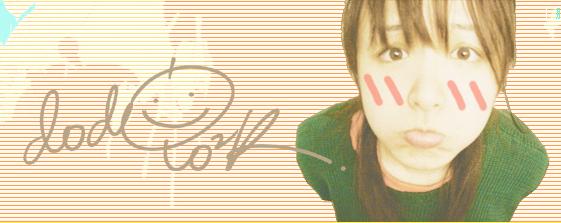
Gua gua, show your face, blow a bubble
★①②③④⑤⑥⑦⑧⑨⑩㈠㈡㈢㈣㈤㈥㈦㈧㈨㈩ⅠⅡⅢⅣⅤⅥⅦⅧⅨⅩⅪⅫ【●】→←↑↓▲
Floor 59 Posted 2016-02-09 21:21 ·  中国 海南 移动
超级版主
★★★★
Credits 3,673
Posts 2,020
Joined 2016-02-01 00:00
10-year member
UID 181465
Gender Male
Status Offline
1<词>,2,3/段\,4{节},5(章)。
Floor 60 Posted 2017-12-04 13:48 ·  中国 海南 海口 电信
超级版主
★★★★
Credits 3,673
Posts 2,020
Joined 2016-02-01 00:00
10-year member
UID 181465
Gender Male
Status Offline
Let me take a look
1<词>,2,3/段\,4{节},5(章)。
Forum Jump: