

"Virtual Boot", where "virtual" refers to "virtual CD-ROM (ISO image)" and "virtual floppy drive (IMG/IMA image)"; "boot" here means booting ISO/IMA/IMG images/partitions/systems, etc. This small tool is 1.40 MB, integrates some common tools and enhanced tools, has low technical content, and is purely for convenience (all the following small tools support ntfs, ext2fs, ext3fs, and hidden fat partitions). The IO.SYS in the disk is not afraid of logical locks. There is no Chinese character system. Thanks to the developers of Grub4DOS and the VT Chinese character display technology of this product.
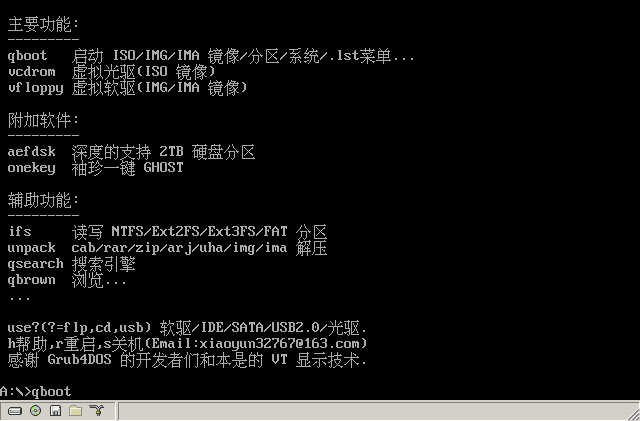
Main functions:
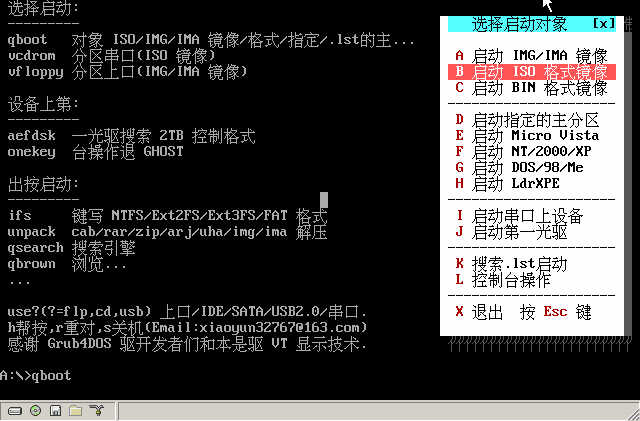
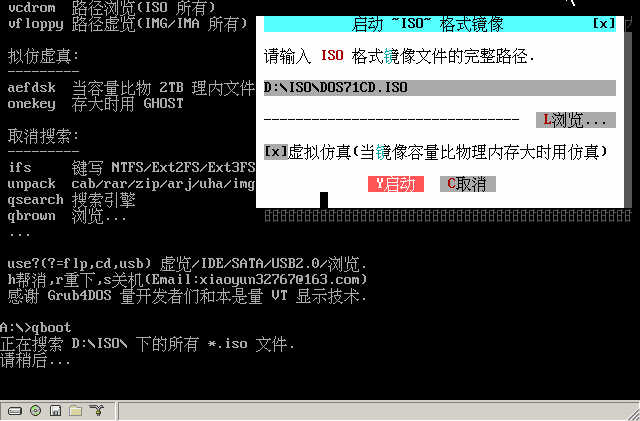
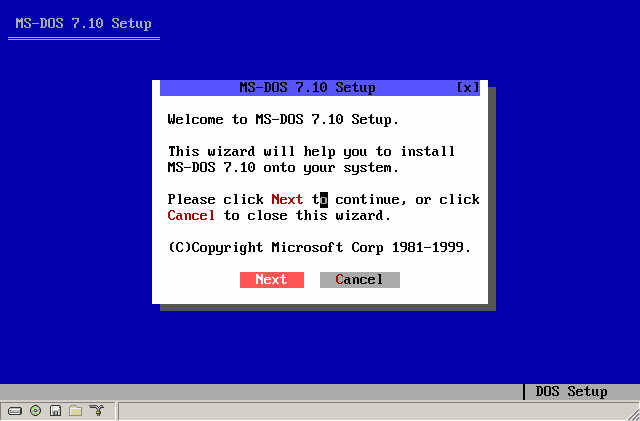
1. qboot: Directly boot ISO/IMG/IMA images on the hard disk, the x-th hard disk, the y-th primary partition, multiple systems..., for example, now in the d:\image directory, dir finds a dm.img, just press Enter after qboot dm.img... The GUI interface can use the mouse to browse, search, and operate the object. To be honest, it is really a waste of this powerful software to let Grub4DOS play that little function.
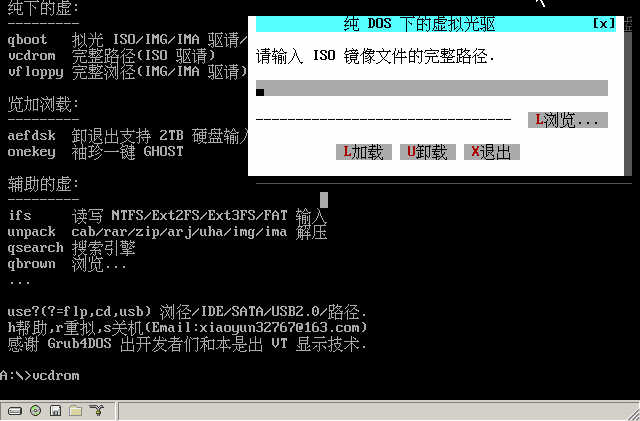
2. vcdrom: Virtual CD-ROM under pure DOS, the GUI interface supports manually using the mouse to browse ISO images and virtualize a CD-ROM, and the command line can virtualize multiple CD-ROMs. For example, now in the d:\iso directory, dir finds msdos.iso, mycd.iso, winxp.iso, Linux.iso. Run vcdrom msdos.iso mycd.iso winxp.iso linux.iso to virtualize 4 CD-ROMs at one time, making it as convenient to use ISO files as physical CD-ROMs.
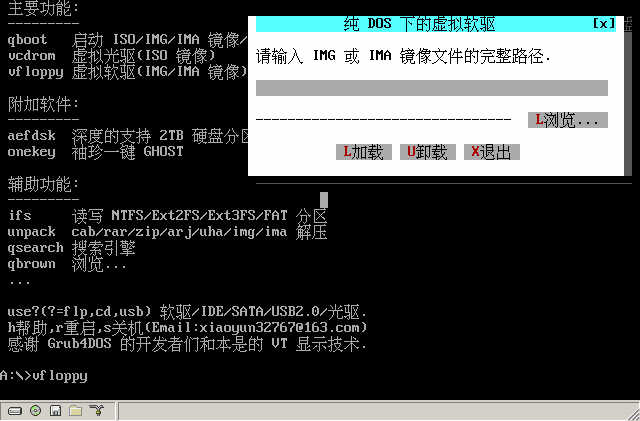
3. vfloppy: Virtual floppy drive under pure DOS, similar to the virtual CD-ROM, virtualizes IMG and IMA images into a hard disk drive letter, making it as convenient to use IMG/IMA floppy images as using a local disk.
Additional software:
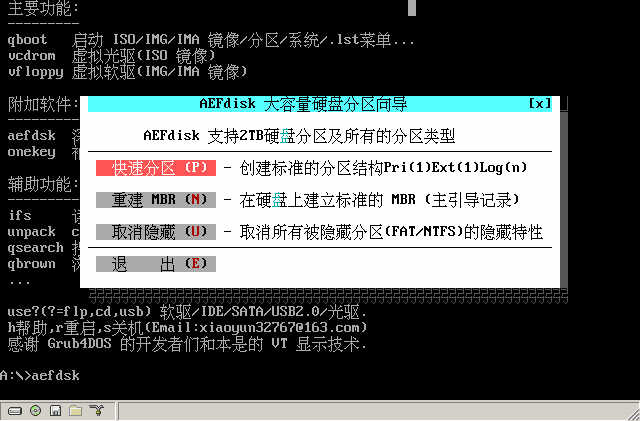
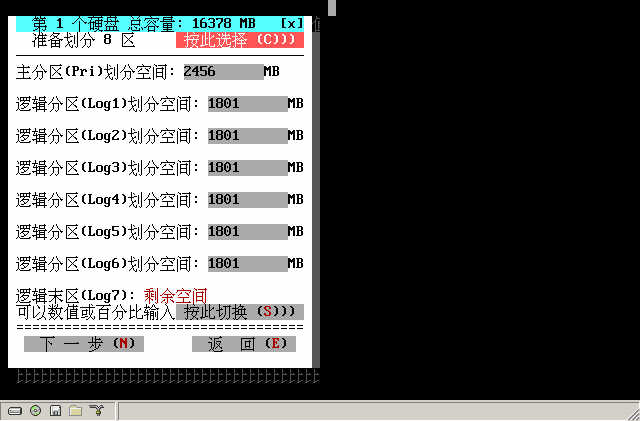
aefdsk: The aefdisk from Deepin, a smart partitioning tool supporting 2TB large hard disks, simple to operate, can be completed with a click of the mouse.
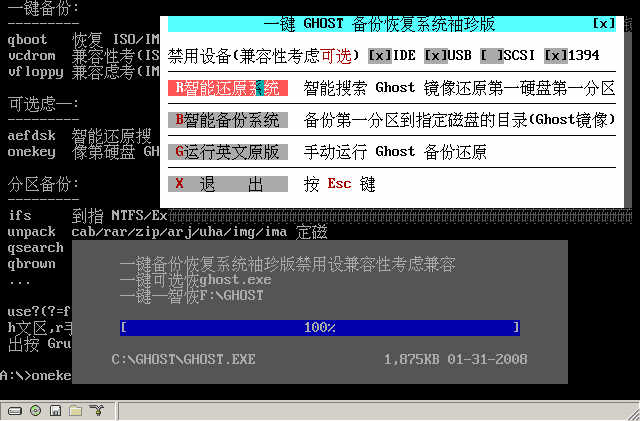
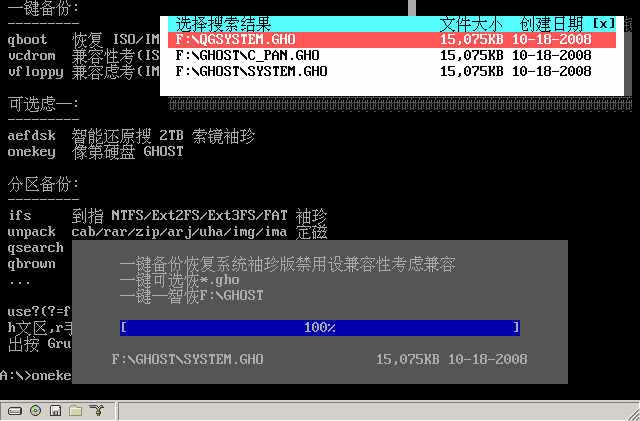
onekey: Pocket one-key GHOST, backs up and restores the first partition of the first hard disk. This boot disk is 1.40 MB, so it cannot hold the cloning software ghost.exe. After the program runs, it will automatically search for the GHOST.EXE program in your hard disk (including NTFS partitions or Linux partitions), so make sure there is a GHOST.EXE program in the root directory or first-level directory of one of your disks. If your computer runs GHOST very slowly or cannot be opened, in the GUI interface, please reselect and disable IDE, USB, 1394 in the disabled devices, and then try backing up and restoring.
Auxiliary functions:
ifs: Needless to say, the Chinese version of ntfs, ext2fs, ext3fs, and hidden fat partition reading and writing drivers.
unpack: Universal decompression tool, supports decompression of cab/rar/zip/arj/uha/img/ima compressed packages or images, convenient to use, has a GUI interface, and can also be operated in the command line. For example, currently in the d:\rar, dir finds msdos.rar, run unpack msdos.rar to decompress to the current directory, retaining the path structure in the original compressed package. If you want to decompress hack.uha, just run unpack hack.uha, and unpack will automatically judge the extension of the given file name.
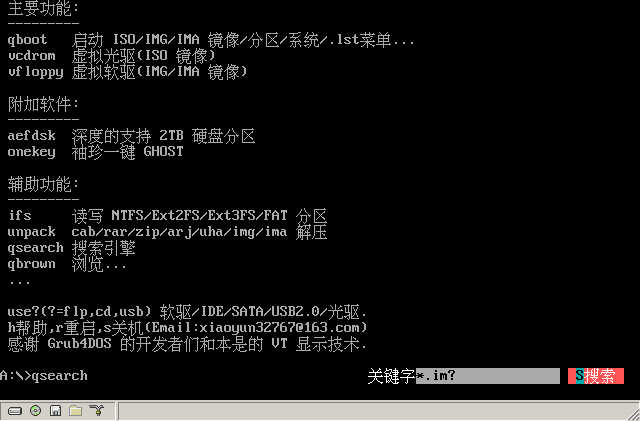
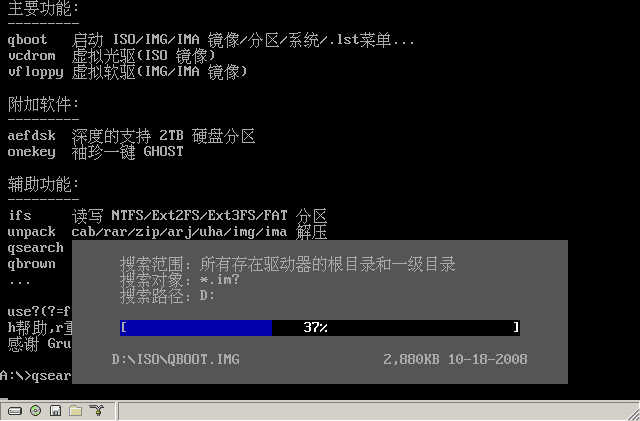
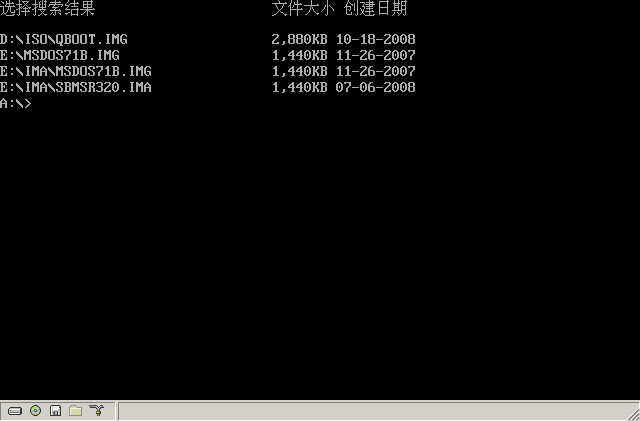
qsearch: Search engine under pure DOS. For example, if you want to boot an IMG/IMA image but don't know where the image is, run qsearch, enter the keyword *.im? (* represents any number of characters,? represents any one character), click "S Search", the program will automatically search for IMG/IMA images in the root directory and first-level directory of all existing drives in your hard disk, and list the search results, file size, and creation date. If you want to boot IMG/IMA, according to the search result, qboot the full path of IMG/IMA. If in the command line, you need to bring the /r parameter to indicate searching the first-level directory, qsearch *.im? /r.
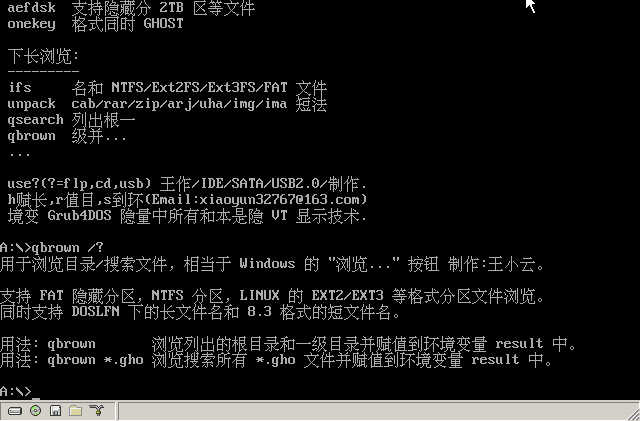
qbrown: Similar to the "Browse..." button in Windows, used to browse directories or files, and the browsing result is saved to the environment variable result. qbrown /? gets help. Specifically, if result is a long file name under DOSlfn, run qlfn83 to organize result into an 8.3 format short path name for application call.
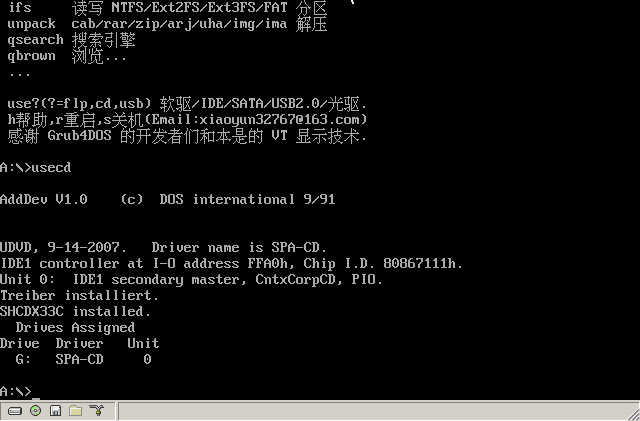
As for others, there is nothing to say about driving IDE/SATA CD-ROMs and driving USB2.0 plug-and-play devices.
Note: If you have run usecd, useusb or other programs except ctmouse and IFS (qboot will automatically unload these two TSRs), if you want to use qboot again, due to the particularity of Grub4DOS, you must unload these additional TSRs first. There are no other requirements.
Download link: http://upload.cn-dos.net/img/983.rar
[ Last edited by xiaoyunwang on 2008-10-20 at 08:40 ]
Main functions:
1. qboot: Directly boot ISO/IMG/IMA images on the hard disk, the x-th hard disk, the y-th primary partition, multiple systems..., for example, now in the d:\image directory, dir finds a dm.img, just press Enter after qboot dm.img... The GUI interface can use the mouse to browse, search, and operate the object. To be honest, it is really a waste of this powerful software to let Grub4DOS play that little function.
2. vcdrom: Virtual CD-ROM under pure DOS, the GUI interface supports manually using the mouse to browse ISO images and virtualize a CD-ROM, and the command line can virtualize multiple CD-ROMs. For example, now in the d:\iso directory, dir finds msdos.iso, mycd.iso, winxp.iso, Linux.iso. Run vcdrom msdos.iso mycd.iso winxp.iso linux.iso to virtualize 4 CD-ROMs at one time, making it as convenient to use ISO files as physical CD-ROMs.
3. vfloppy: Virtual floppy drive under pure DOS, similar to the virtual CD-ROM, virtualizes IMG and IMA images into a hard disk drive letter, making it as convenient to use IMG/IMA floppy images as using a local disk.
Additional software:
aefdsk: The aefdisk from Deepin, a smart partitioning tool supporting 2TB large hard disks, simple to operate, can be completed with a click of the mouse.
onekey: Pocket one-key GHOST, backs up and restores the first partition of the first hard disk. This boot disk is 1.40 MB, so it cannot hold the cloning software ghost.exe. After the program runs, it will automatically search for the GHOST.EXE program in your hard disk (including NTFS partitions or Linux partitions), so make sure there is a GHOST.EXE program in the root directory or first-level directory of one of your disks. If your computer runs GHOST very slowly or cannot be opened, in the GUI interface, please reselect and disable IDE, USB, 1394 in the disabled devices, and then try backing up and restoring.
Auxiliary functions:
ifs: Needless to say, the Chinese version of ntfs, ext2fs, ext3fs, and hidden fat partition reading and writing drivers.
unpack: Universal decompression tool, supports decompression of cab/rar/zip/arj/uha/img/ima compressed packages or images, convenient to use, has a GUI interface, and can also be operated in the command line. For example, currently in the d:\rar, dir finds msdos.rar, run unpack msdos.rar to decompress to the current directory, retaining the path structure in the original compressed package. If you want to decompress hack.uha, just run unpack hack.uha, and unpack will automatically judge the extension of the given file name.
qsearch: Search engine under pure DOS. For example, if you want to boot an IMG/IMA image but don't know where the image is, run qsearch, enter the keyword *.im? (* represents any number of characters,? represents any one character), click "S Search", the program will automatically search for IMG/IMA images in the root directory and first-level directory of all existing drives in your hard disk, and list the search results, file size, and creation date. If you want to boot IMG/IMA, according to the search result, qboot the full path of IMG/IMA. If in the command line, you need to bring the /r parameter to indicate searching the first-level directory, qsearch *.im? /r.
qbrown: Similar to the "Browse..." button in Windows, used to browse directories or files, and the browsing result is saved to the environment variable result. qbrown /? gets help. Specifically, if result is a long file name under DOSlfn, run qlfn83 to organize result into an 8.3 format short path name for application call.
As for others, there is nothing to say about driving IDE/SATA CD-ROMs and driving USB2.0 plug-and-play devices.
Note: If you have run usecd, useusb or other programs except ctmouse and IFS (qboot will automatically unload these two TSRs), if you want to use qboot again, due to the particularity of Grub4DOS, you must unload these additional TSRs first. There are no other requirements.
Download link: http://upload.cn-dos.net/img/983.rar
[ Last edited by xiaoyunwang on 2008-10-20 at 08:40 ]
Recent Ratings for This Post
( 1 in total)
Click for details
| Rater | Score | Time |
|---|---|---|
| julon | +4 | 2008-11-04 22:04 |

